> For the complete documentation index, see [llms.txt](https://help.activenow.io/llms.txt). Markdown versions of documentation pages are available by appending `.md` to page URLs; this page is available as [Markdown](https://help.activenow.io/panel-klienta/rezerwacja-kortu-w-panelu-klienta.md).
# Rezerwowanie kortu
Chcesz zarezerwować kort na konkretną godzinę?
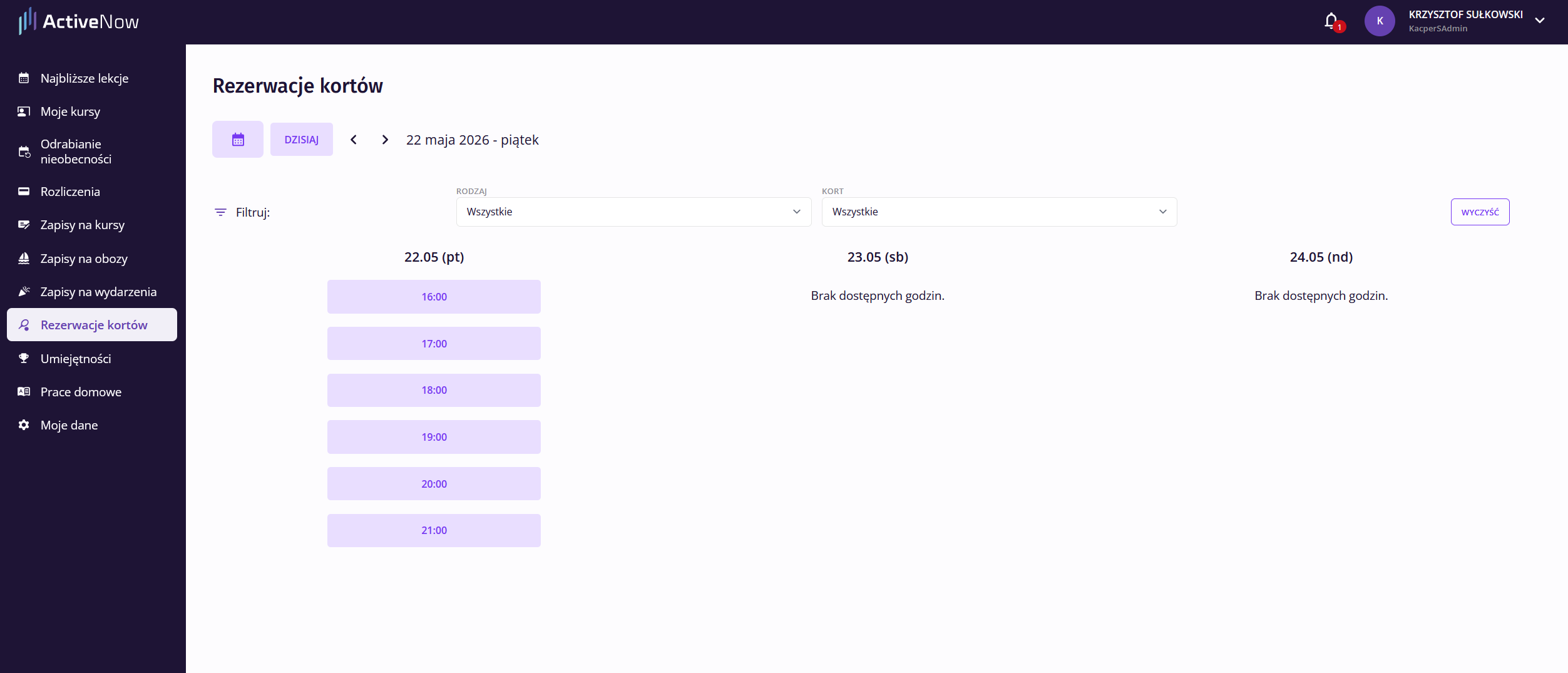
Zaloguj się do swojego [**Panelu Klienta**](/panel-klienta/zarzadzanie-kontem-przez-panel-klienta.md) i przejdź do zakładki ***Rezerwacje kortów*** w menu po lewej stronie.
## Wybór godziny i kortu
Dostępne godziny możesz filtrować według **rodzaju kortu** oraz **konkretnego kortu**. Po wybraniu interesującego Cię terminu sprawdź szczegóły rezerwacji, zatwierdź wymagane zgody i potwierdź rezerwację.
## Płatność online
Jeżeli Twoja szkoła korzysta z płatności online, masz **10 minut** na dokonanie płatności — po tym czasie termin zostanie zwolniony i chwilowo nie będzie można go ponownie zarezerwować. Po opłaceniu rezerwacja zmieni status na **potwierdzoną**, jej szczegóły znajdziesz w zakładce ***Najbliższe zajęcia***, a potwierdzenie trafi na Twój adres e-mail.
---
# Agent Instructions
This documentation is published with GitBook. GitBook is the documentation platform designed so that both humans and AI agents can read, navigate, and reason over technical content effectively. Learn more at gitbook.com.
## Querying This Documentation
If you need additional information that is not directly available in this page, you can query the documentation by asking a question.
Perform an HTTP GET request on the following URL with the `ask` and `goal` query parameters:
```
GET https://help.activenow.io/panel-klienta/rezerwacja-kortu-w-panelu-klienta.md?ask=&goal=
```
`ask` is the immediate question: it should be specific, self-contained, and written in natural language.
`goal` is what the user is ultimately trying to achieve, the reason they need the answer. Sharing it helps GitBook give you a better, more relevant answer. A goal is most helpful when it describes the outcome the user wants rather than restating the question. For example, with `ask=how do I create an API token`, a goal like `automate deployments from our CI pipeline` lets GitBook tailor the answer to that use case.
The response will contain a direct answer to the question and relevant excerpts and sources from the documentation.
Use this mechanism when the answer is not explicitly present in the current page, you need clarification or additional context, or you want to retrieve related documentation sections.